MCP vs Function Calling: Which Should Your AI Agent Use?
MCP and function calling aren't competing approaches — they solve different problems. Use this decision framework to pick the right tool integration pattern for your AI agent.
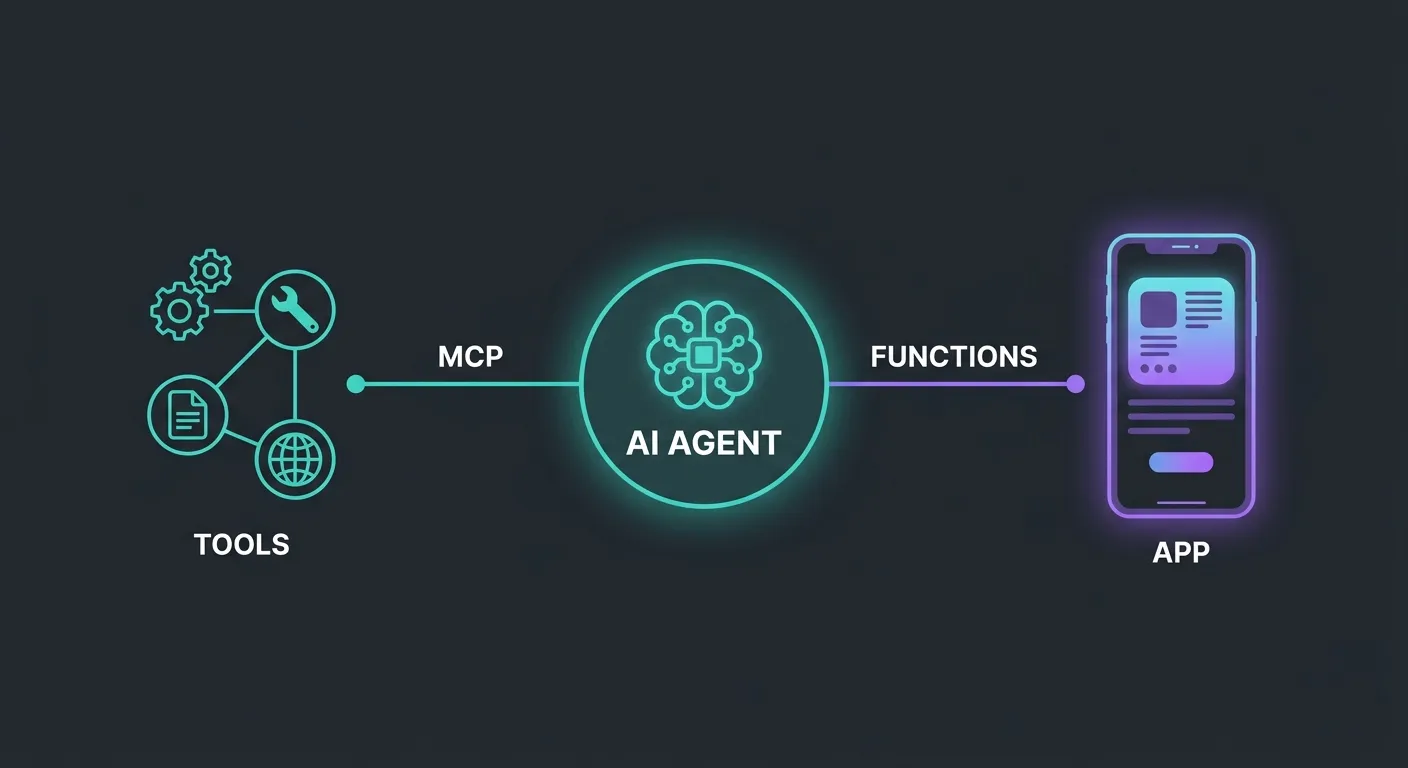
You’re building an AI agent and you need it to call tools. You’ve seen two ways to do it: function calling (OpenAI tools, Claude tool_use, Gemini function declarations) and MCP (Model Context Protocol). They both let your agent invoke external capabilities. So which one do you use?
The short answer: MCP vs function calling isn’t an either/or decision. They operate at different layers of your architecture and solve different problems. But the distinction isn’t obvious, because from the model’s perspective, both look like “here’s a tool, call it when relevant.”
The real question isn’t which is better. It’s which fits your use case — and in most production setups, the answer is both.
Function calling: tight integration, zero overhead
Function calling is the native tool-use mechanism built into model APIs. You define a function schema, send it with your prompt, and the model returns a structured call when it decides the function is relevant. Your application executes it and feeds the result back.
What makes it good:
- Zero infrastructure. No server process, no protocol layer, no configuration. Define a schema, wire up a handler, done.
- Tight coupling with model reasoning. The model sees your function schemas as part of its instruction set. It can reason about when to call them, chain them together, and interpret results — all within a single request/response loop.
- Schema validation by the provider. OpenAI, Anthropic, and Google all validate function schemas and enforce structured output. You get type safety for free.
- Perfect for application-specific logic. Creating a user, processing a payment, querying your database — actions that only your app needs and that are tightly bound to your business domain.
Where it falls short:
- Locked to one application. Your carefully defined
search_productsfunction lives inside your codebase. No other tool, editor, or agent can use it without duplicating the implementation. - Locked to one provider. OpenAI function schemas and Anthropic tool_use schemas are similar but not identical. Switch providers and you’re rewriting tool definitions.
- No resource or context sharing. Function calling is request/response only. There’s no standard way for the tool to proactively provide context, expose browsable resources, or share prompt templates.
Function calling is the right default for anything that’s specific to your application. If only your agent needs to call it, function calling is simpler, faster, and sufficient.
MCP: standardized, reusable, cross-client
Model Context Protocol takes a different approach. Instead of defining tools inline with your model calls, you run a separate MCP server that exposes tools, resources, and prompts over a standardized protocol. Any MCP-compatible client — Claude Code, Cursor, Continue, Windsurf, your custom agent — can connect and use them.
What makes it good:
- Write once, use everywhere. An MCP server works with any client that speaks the protocol. Build a documentation server and it works in Claude Code, Cursor, and your CI pipeline without changes.
- Beyond just tools. MCP servers can expose resources (browsable data the client can pull into context) and prompts (reusable prompt templates). Function calling only does request/response tool calls.
- Ecosystem scale. The MCP ecosystem has grown to 5,800+ servers and 300+ clients. Common integrations — databases, documentation, APIs, file systems — already exist as packages you can install.
- Cross-vendor by design. MCP was donated to the Linux Foundation (AI & Data). It’s not owned by any model provider, which means your investment in MCP tooling isn’t tied to a single vendor’s roadmap.
- Best for reusable integrations. If multiple agents, editors, or tools need the same capability — searching docs, querying a database, accessing an API — MCP eliminates duplication.
Where it falls short:
- Infrastructure overhead. You’re running a server process. That means configuration, lifecycle management, and another thing that can fail.
- Protocol overhead. Communication happens over stdio or HTTP with JSON-RPC. For simple, high-frequency tool calls inside a tight loop, the extra layer adds latency you might not want.
- Security surface area. An MCP server is a process with access to resources. You need to think about what it can reach, who can connect to it, and how to scope permissions — problems that don’t exist when your tools are just functions in your codebase.
- Overkill for single-app tools. If only your application needs a tool, wrapping it in an MCP server adds complexity for no reuse benefit.
ThoughtWorks has flagged a common anti-pattern here: naive API-to-MCP conversion — taking every internal API endpoint and wrapping it in an MCP server “because MCP.” This adds infrastructure overhead without the reuse benefit that justifies it. MCP makes sense when the tool genuinely serves multiple clients. For the most common mistakes to avoid when building MCP servers, see 5 MCP Server Mistakes That Make Your AI Agent Worse.
The decision framework
Here’s how to decide which pattern fits each tool in your agent:
| Factor | Function Calling | MCP |
|---|---|---|
| Scope | One application | Multiple apps/clients |
| Coupling | Tight — lives in your codebase | Loose — separate server |
| Setup | Zero — built into model APIs | Server process + config |
| Reusability | Low — app-specific | High — cross-client |
| Ecosystem | Vendor-specific schemas | Cross-vendor standard |
| Capabilities | Tools only | Tools + resources + prompts |
| Overhead | Minimal | Server process + protocol |
Rules of thumb:
- If only your app needs it — function calling. Your
create_orderhandler doesn’t need to be a server. - If multiple tools or editors need it — MCP. Don’t reimplement the same integration in every client.
- If it’s a common integration (documentation, database, search, file system) — probably MCP. Someone has likely already built the server.
- If it’s custom business logic (domain-specific actions, internal workflows) — probably function calling. It’s yours and it’s not going to be reused.
- If you need resources or prompt templates — MCP. Function calling doesn’t support these concepts.
Using both together
Most production agents use both patterns. Here’s what that looks like:
MCP servers for shared, reusable integrations:
# Documentation — accessible to every AI tool on your machine
npx @neuledge/context add react@19 typescript@5.8
npx @neuledge/context serve

# Database access — reusable across agents and editors
npx @modelcontextprotocol/server-postgres
MCP is the right fit for documentation because every coding assistant on your machine benefits from the same source. You index your docs once with @neuledge/context and Claude Code, Cursor, and your custom agents all get version-pinned, sub-10ms access. That’s the reuse pattern MCP was designed for.
Function calling for application-specific actions:
const tools = [
  {
    name: "create_support_ticket",
    description: "Create a support ticket in the internal system",
    parameters: {
      type: "object",
      properties: {
        title: { type: "string" },
        priority: { enum: ["low", "medium", "high", "critical"] },
        customer_id: { type: "string" },
      },
      required: ["title", "priority", "customer_id"],
    },
  },
  {
    name: "check_inventory",
    description: "Check real-time inventory for a product SKU",
    parameters: {
      type: "object",
      properties: {
        sku: { type: "string" },
        warehouse: { type: "string" },
      },
      required: ["sku"],
    },
  },
];
These are tightly coupled to your business domain. No other tool needs them. Function calling keeps them simple.
The combined architecture:
Your Agent
├── MCP Connections (shared integrations)
│   ├── @neuledge/context → versioned docs
│   ├── postgres-server → database queries
│   └── github-server → repo access
│
└── Function Calling (app-specific tools)
    ├── create_support_ticket()
    ├── check_inventory()
    └── process_refund()
The MCP layer handles everything that’s reusable across your toolchain. Function calling handles everything that’s specific to this agent’s job. Clean separation, no duplication.
Start with the simpler thing
If you’re just getting started with AI agents, start with function calling. It’s built in, requires no infrastructure, and handles the most common use case — giving your agent access to your application’s capabilities.
When you start hitting the reuse problem — the same integration duplicated across tools, the same docs needed by multiple agents, a tool that should work in both your app and your IDE — that’s when MCP earns its overhead.
For documentation specifically, the reuse case is immediate. Your docs are relevant to every AI tool touching your codebase. Try @neuledge/context as an MCP documentation server — set up takes two commands, and every MCP client on your machine gets access.
For everything else, use the decision framework above. The goal isn’t to pick a side. It’s to use each pattern where it fits and avoid the anti-pattern of wrapping every function in a server it doesn’t need.
For the broader picture on choosing the right tool integration pattern for reliable agents, read our grounding architecture guide. For a deeper look at quality and security in the MCP ecosystem, read why more servers isn’t better. To see what’s available, browse the community registry of pre-built packages.