How @neuledge/graph Gives AI Agents Access to Live Data
AI agents hallucinate when they need live data. @neuledge/graph gives them structured access to real-time facts through a single lookup tool.
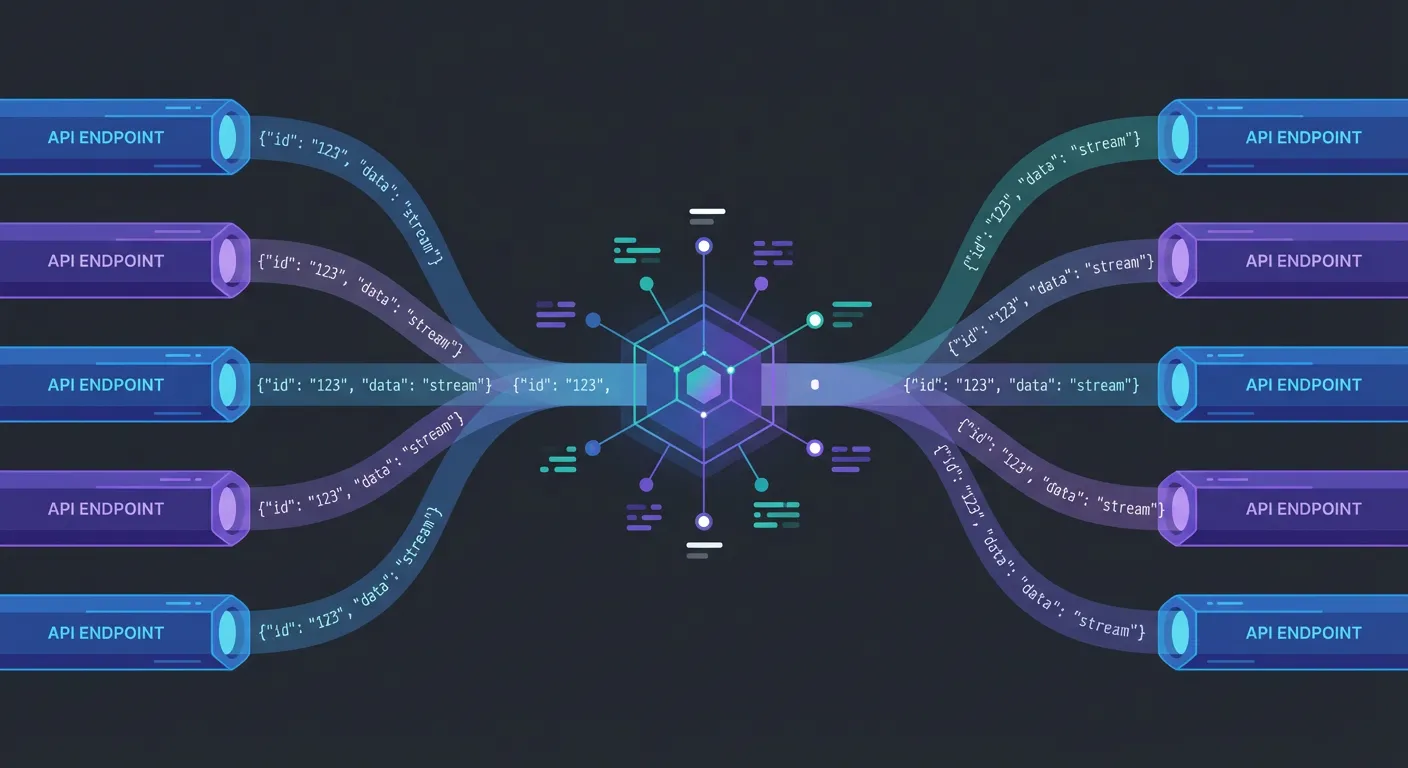
Your customer asks the AI agent: “What’s the current price for the Pro plan?” The agent responds with $29/month — the price from six months ago. You raised it to $39 in January. Yesterday the same agent told a prospect you have 200 units in stock. You have 12.
These aren’t hallucinations in the traditional sense. The model isn’t making things up from nothing — it’s answering from stale training data because it has no connection to your live systems. Prices change, inventory moves, statuses update. If your AI agent can’t access current data, it will confidently serve outdated facts. And outdated facts are often worse than no facts at all.
RAG solves this for documentation. But structured operational data — prices, inventory, order statuses — needs a different approach.
Why RAG alone isn’t enough for live data
RAG was designed for documents. It chunks text, embeds it into vectors, and retrieves relevant passages. That works well for documentation, knowledge bases, and guides. But it breaks down with live operational data for three reasons:
- Documents vs. structured data. RAG returns text fragments. When an agent needs the current price of SKU-1234, it needs a number — not a paragraph that might contain a number from last week’s catalog export.
- Staleness matters more. Documentation might be acceptable at a week old. Pricing data is wrong after an hour. Inventory counts are wrong after a minute. Different data types have fundamentally different freshness requirements.
- Too many API tools creates a selection problem. The alternative to RAG — giving your agent direct API access — means exposing 10 or 20 tools. The LLM has to pick the right endpoint, format the right parameters, and parse the response. This is fragile, error-prone, and gets worse as you add more data sources.
You need something between “embed everything into vectors” and “give the agent raw API access.” A unified data layer that handles routing, caching, and structured responses.
The Graph approach — one tool, all your data
@neuledge/graph is a semantic data layer for AI agents. Instead of giving your agent many API tools to choose from, Graph provides a single lookup() tool. The agent describes what it needs in natural language; Graph routes it to the right data source and returns structured JSON.
The core idea:
- Connect your data sources — APIs, databases, or any structured data endpoint
- Expose a single lookup tool — the agent calls
lookup()with a natural language query - Get structured JSON back — not free text, but exact values the LLM can reason over
Responses are pre-cached and return in under 100ms. The LLM doesn’t wait for upstream APIs during a conversation — Graph handles that in the background.
Setting up Graph
Install Graph and its peer dependency:
npm install @neuledge/graph zodInitialize the client:
import { NeuledgeGraph } from "@neuledge/graph";

const graph = new NeuledgeGraph();
That’s the minimal setup. Graph connects to the Neuledge knowledge graph service, which provides access to structured data sources. No API key is required for basic usage (100 requests/day).
For production workloads, sign up for a free API key:
npx @neuledge/graph sign-up your-email@example.comThen configure it:
import "dotenv/config";

const graph = new NeuledgeGraph({
  apiKey: process.env.NEULEDGE_API_KEY, // 10,000 requests/month
});
Querying data
The lookup() method is the single interface your agent uses:
const result = await graph.lookup({ query: "cities.tokyo.weather" });
// Returns: { status: "matched", match: {...}, value: {...} }
Responses come back as structured JSON — not free text. The LLM can reason over exact values (prices, counts, statuses) instead of parsing unstructured paragraphs.
Connecting Graph to your AI agent
Graph is designed as a first-class tool for AI agent frameworks. You pass graph.lookup directly as a tool — no wrapper code needed.
Vercel AI SDK
import { anthropic } from "@ai-sdk/anthropic";
import { NeuledgeGraph } from "@neuledge/graph";
import { stepCountIs, ToolLoopAgent, tool } from "ai";

const graph = new NeuledgeGraph();

const agent = new ToolLoopAgent({
  model: anthropic("claude-sonnet-4-5"),
  tools: { lookup: tool(graph.lookup) },
  stopWhen: stepCountIs(20),
});

const { textStream } = await agent.stream({
  prompt: "What's the current weather in Tokyo?",
});
OpenAI Agents SDK
import { Agent, run, tool } from "@openai/agents";
import { NeuledgeGraph } from "@neuledge/graph";

const graph = new NeuledgeGraph();

const agent = new Agent({
  name: "Data Assistant",
  model: "gpt-4.1",
  tools: [tool(graph.lookup)],
});

const result = await run(agent, "What is the current price of Apple stock?");
LangChain
import { NeuledgeGraph } from "@neuledge/graph";
import { createAgent, tool } from "langchain";

const graph = new NeuledgeGraph();
const lookup = tool(graph.lookup, graph.lookup);

const agent = createAgent({
  model: "openai:gpt-4.1",
  tools: [lookup],
});

const result = await agent.invoke({
  messages: [
    { role: "user", content: "What is the exchange rate from USD to EUR?" },
  ],
});
The pattern is the same across frameworks: create a NeuledgeGraph instance, pass graph.lookup as a tool, and let the agent call it when it needs live data.
What the agent experience looks like
When your agent has Graph connected, conversations with live data queries look like this:
User: “What’s the current weather in San Francisco?”
The agent calls graph.lookup({ query: "cities.san-francisco.weather" }) and gets back structured JSON:
{
  "status": "matched",
  "value": {
    "temperature": 62,
    "unit": "fahrenheit",
    "condition": "partly cloudy",
    "humidity": 68,
    "updated_at": "2026-02-22T14:30:00Z"
  }
}
The agent sees exact numbers, not prose. It can tell the user the temperature is 62°F with 68% humidity — not “approximately in the low 60s” based on historical averages from training data.
This structured format matters. LLMs reason more accurately over explicit values than extracted text. A JSON response with "price": 39.00 is unambiguous. A paragraph that says “the price was recently updated to around $39” leaves room for the model to hedge, round, or misinterpret.
Building a custom data server
For proprietary data sources — your product catalog, internal pricing API, inventory system — you can run your own Graph server:
import { NeuledgeGraphRouter } from "@neuledge/graph-router";
import { NeuledgeGraphMemoryRegistry } from "@neuledge/graph-memory-registry";
import { openai } from "ai";
import Fastify from "fastify";

const registry = new NeuledgeGraphMemoryRegistry({
  model: openai.embedding("text-embedding-3-small"),
});

// Register your data sources
await registry.register({
  template: "products.{sku}.price",
  resolver: async (match) => {
    const sku = match.params.sku;
    const response = await fetch(
      `https://api.internal/pricing?sku=${sku}`
    );
    return response.json();
  },
});

await registry.register({
  template: "inventory.{sku}.stock",
  resolver: async (match) => {
    const sku = match.params.sku;
    const response = await fetch(
      `https://api.internal/inventory?sku=${sku}`
    );
    return response.json();
  },
});

const router = new NeuledgeGraphRouter({ registry });
const app = Fastify();

app.post("/lookup", async (request, reply) => {
  const result = await router.lookup(request.body);
  return reply.send(result);
});

app.listen({ port: 3000 });
Then point your Graph client at the custom server:
const graph = new NeuledgeGraph({
  baseUrl: "http://localhost:3000",
});
This gives you full control over data sources, caching, and access policies while keeping the same lookup() interface for your AI agents.
Graph + Context — the full grounding stack
Graph handles live operational data. But AI agents also need static knowledge — library docs, API references, guides. That’s where @neuledge/context comes in.
The two tools complement each other:
- Context grounds your agent in static documentation — library docs, internal wikis, API references. Indexes into SQLite, serves via MCP, sub-10ms queries. Best for knowledge that changes with releases.
- Graph grounds your agent in live data — product catalogs, pricing, inventory, system status. Pre-cached structured responses, single lookup tool. Best for data that changes continuously.
An AI coding assistant uses Context for accurate, version-specific documentation. A customer-facing agent uses Graph for current prices and availability. A sophisticated agent uses both — docs for how-to knowledge, Graph for current facts.
Together, they form the grounding architecture that eliminates the most common categories of hallucination: outdated documentation and stale operational data.
Get started
Install Graph and connect it to your agent:
npm install @neuledge/graph zodimport { NeuledgeGraph } from "@neuledge/graph";
const graph = new NeuledgeGraph();
const result = await graph.lookup({ query: "your-data-query-here" });For production usage, sign up for a free API key to get 10,000 requests/month. For proprietary data, set up a custom server with @neuledge/graph-router.
Your AI agent should answer from your data, not from six-month-old training patterns. Ground it.
- GitHub repo — source code, API reference, and examples
- Documentation — quick start guide and configuration
- Getting started with Context — complement Graph with documentation grounding
- What is LLM grounding? — the concept behind tools like Graph and Context